
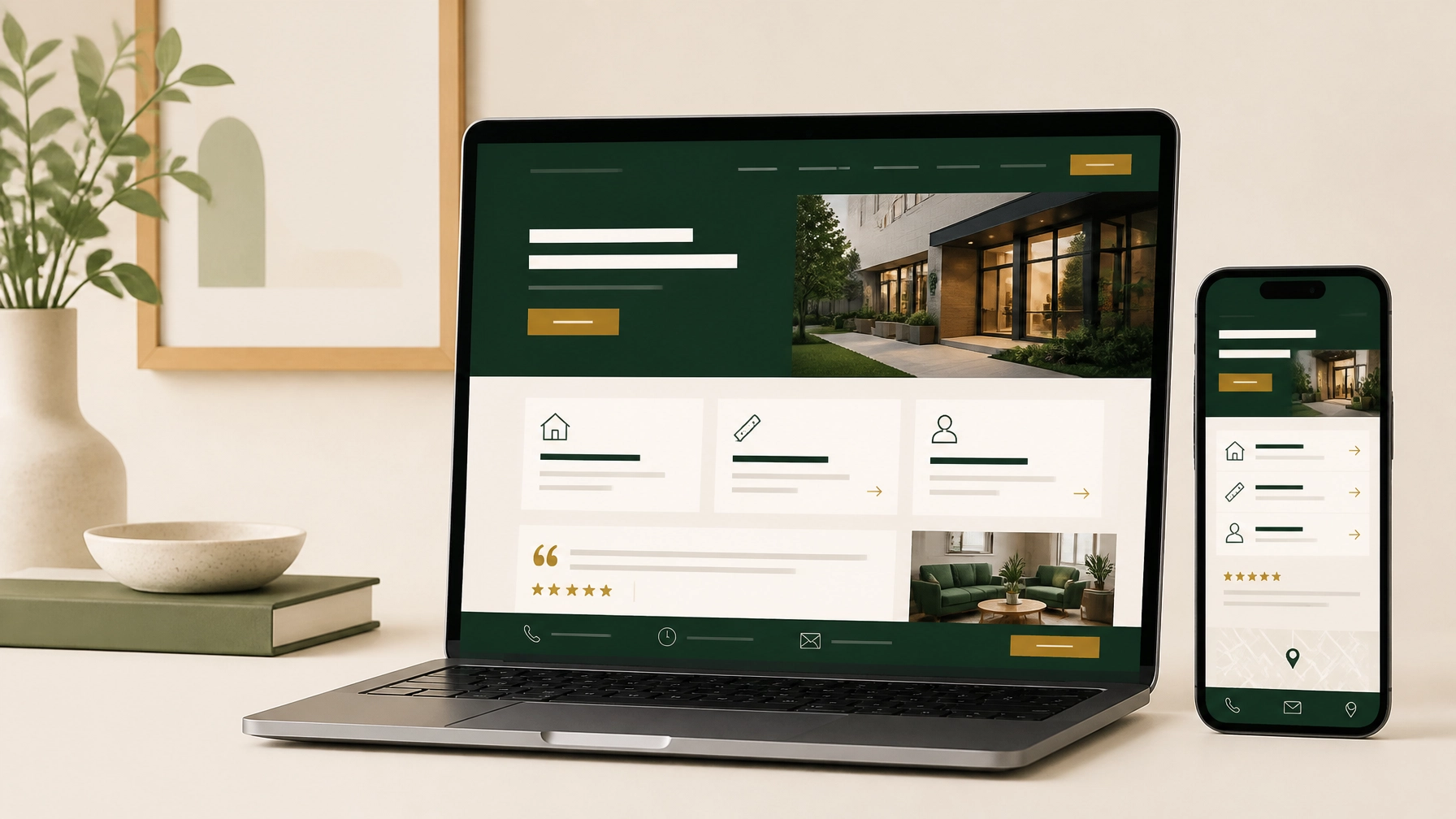
A small business website doesn’t need dozens of pages or complicated features to work well. It needs to answer the questions customers already have:
- What do you offer?
- Who do you serve?
- Why should they trust you?
- How can they contact you?
- What should they do next?
A professional website for a small business brings those answers together in a clear, easy-to-use experience. It should look credible, work well on a phone, and make it simple for the right visitor to take the next step.
Here’s what to include.
Start with the essential pages
Most small businesses can build a strong online presence with a focused set of pages. The exact structure may vary, but these pages are a practical starting point.
1. A clear homepage
Your homepage is often the first page a potential customer sees. It should explain your business quickly without making visitors search for the point.
Include:
- Your business name and location
- A short statement explaining what you do
- The customers or communities you serve
- Your primary services or products
- A clear call to action
- A short introduction to your business
- Reviews, results, or other trust signals
- Your phone number, email, or booking option
The top section of the page should answer the most important question: “Am I in the right place?”
A contractor might use “Reliable roofing services for homeowners in Kerrville.” A salon might say “Personalized skincare and electrolysis appointments in [city].” A nonprofit might lead with the community it supports and how visitors can get involved.
Keep the message specific. “Quality solutions for every need” doesn’t tell visitors much.
2. A services or products page
Your services page should help visitors understand what you offer and whether it fits their needs.
For each major service, explain:
- What the service includes
- Who it’s for
- The problem it helps solve
- What customers can expect
- How to ask questions or get started
If you offer several distinct services, give each one enough space to be understood. A single page can work well for a short list. Separate pages may be more useful for businesses with multiple service categories or different customer groups.
Include pricing when it’s practical. If every project is different, explain what affects the price and invite visitors to request an estimate. Clear expectations are more helpful than hiding every cost.
3. An about page
People want to know who they’re trusting with their money, time, home, health, or project. Your About page gives your business a human presence.
It can include:
- How the business began
- Your experience and qualifications
- The values that guide your work
- Your team
- Your service area
- Community involvement
- A professional team or workspace photo
The page doesn’t need to be a long personal history. Focus on information that helps a customer feel comfortable choosing you.
4. A contact page
Make it easy for someone to reach you in the way that suits them best.
A useful Contact page may include:
- Phone number
- Email address
- Contact form
- Business hours
- Physical address or service area
- Google Maps integration
- Appointment or estimate request options
- Links to relevant social profiles
Keep your form short. Name, email or phone number and a message are often enough to begin. Add another field only if it helps you respond properly.
Your phone number and primary contact button should also appear in the header or footer so visitors don’t have to return to the Contact page.
5. Proof that supports your claims
Visitors are more comfortable contacting a business when they can see evidence of good work.
Useful proof includes:
- Customer testimonials
- Google reviews
- Before-and-after photos
- A portfolio
- Case studies
- Certifications or memberships
- Client or community partnerships
- Years of experience
A portfolio doesn’t need to be elaborate. A few well-presented examples with a short explanation can be more useful than a large gallery with no context.
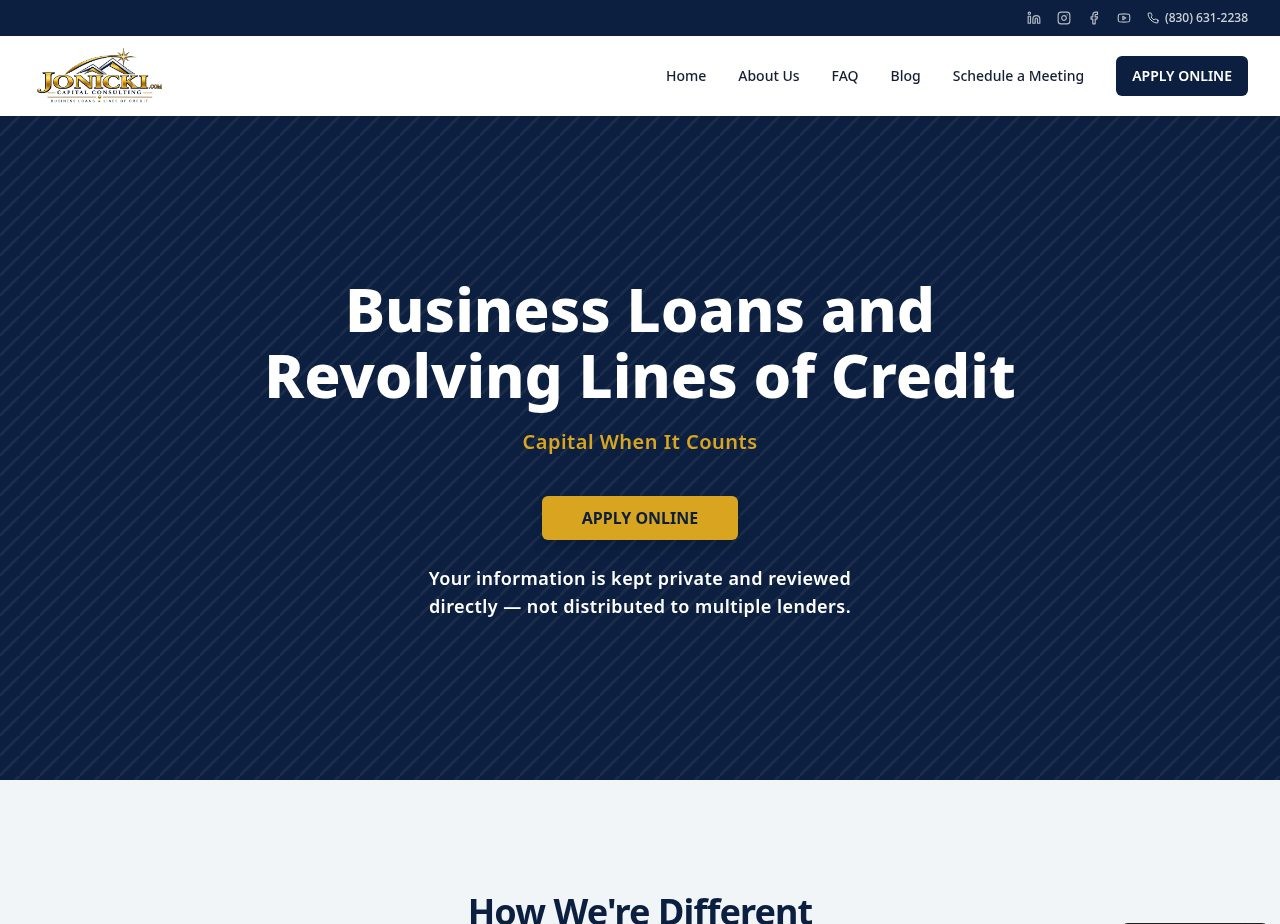
For example, a professional services website can use a concise homepage to explain its specialty, establish credibility, and guide visitors toward an inquiry. The goal is not to show everything at once. It’s to give visitors enough confidence to continue.
Add the features visitors expect
The pages provide the structure. The right features make the site easier to use.
Mobile-responsive design
Your website should work properly on phones, tablets, and desktop screens. Text should be readable, buttons should be easy to tap, and forms should not require visitors to pinch and zoom.
A mobile-friendly site should also make key actions convenient:
- Tap-to-call phone numbers
- Short forms
- Visible navigation
- Easy-to-find directions
- Buttons with enough space around them
Mobile responsiveness is not an extra feature anymore. It’s a basic part of a professional website for a small business.
Clear calls to action
Every important page should give visitors a reasonable next step.
Examples include:
- Request a quote
- Book an appointment
- Call today
- Visit our location
- Schedule a consultation
- View available services
- Ask a question
Use one primary action for each page. A services page may focus on “Request an estimate,” while an About page may direct visitors to “Meet the team” or “Contact us.”
Repeat the action naturally near the top and bottom of longer pages. Visitors may be ready to act before they reach the end.
Local business information
If you serve a specific town, city, neighborhood, or region, your website should make that clear.
Include:
- Your complete business name
- Address, when customers visit your location
- Service area, when you travel to customers
- Phone number
- Business hours
- Location-focused service descriptions
- A map when appropriate
- A link to your Google Business Profile
Keep these details consistent across your website and other business listings. This helps customers find and verify your business.
Basic search engine optimization
Your website should be understandable to both visitors and search engines. Basic on-page SEO can include:
- Descriptive page titles
- Clear headings
- Relevant service and location terms
- Helpful page descriptions
- Image alt text
- Internal links between related pages
- A logical page structure
This doesn’t mean forcing keywords into every sentence. It means explaining your business clearly.
For example, “Residential electrical repairs in San Antonio” is more useful than a vague heading such as “Our solutions.”
Trustworthy images
Use images that help visitors understand your business. Depending on your industry, that might include:
- Photos of your team
- Finished projects
- Your location or workspace
- Products
- Treatment rooms
- Community events
- Branded graphics
Choose clear, well-lit images. Avoid relying entirely on generic stock photos when real images are available.
A service business can use strong visual presentation to show its atmosphere and make the booking path obvious. The images should support the service, not distract from it.
Include content that answers customer questions
Good website content is practical. It helps visitors decide whether to contact you.
Before launch, gather:
- A short description of your business
- A complete service list
- Your service area
- Hours and contact details
- Common customer questions
- Pricing or estimate information
- Testimonials
- Team information
- Brand colors and logo files
- High-quality photos
- Any licenses, certifications, or memberships
An FAQ section can be especially helpful for questions about timing, pricing, preparation, availability, payment, or what happens after someone submits a form.
A blog can also support long-term visibility and SEO. Publish useful articles when you can maintain them. A small, well-written resource section may be better than a neglected blog if you don't have the time or finances to maintain a blog.
Keep the structure manageable
A defined scope helps keep your website consistent, affordable, and easier to maintain.
For many small businesses, a five-page structure is enough:
- Home : what you do and who you help
- About : why customers can trust you
- Services : what you offer and how it works
- Proof or FAQ : reviews, examples, and common questions
- Contact : how to reach you or get started
This structure can be adjusted around your business. A restaurant may need a menu page. A real estate business may need separate buyer and seller information. A nonprofit may need programs, events, or donation details.
Larger catalogs, online stores, membership portals, advanced booking systems, and custom integrations usually require a separate scope and quote. Defining those needs early prevents surprises later.
What a small business website package can include
A practical small business website package should cover the essentials without adding features you don’t need.
At First Look Web Co., our standard website build includes:
- Up to 5 core pages
- Custom visual design
- Mobile-responsive layout
- Professional copywriting and content assistance
- Contact or lead inquiry form
- Social media links
- Google Maps integration when appropriate
- Basic on-page SEO
- Basic accessibility considerations
- Domain connection and launch configuration
- Two standard revision rounds, with a third available
- The first 12 months of hosting
- Launch and performance checks
- You also receive a checklist on tips for moving up the Google Ranking chain.
You can review the full website service details or see the flat pricing options.
The standard build is designed for small businesses that need a polished, reliable presence without a drawn-out process. Projects typically take 5–10 business days after the required materials and information are received.
Make the next step obvious
A website can include every essential page and still underperform if visitors don’t know what to do next.
Before launch, check each page and ask:
- Is the main message clear?
- Does this page explain a customer benefit?
- Is there one obvious next step?
- Can visitors contact us from a phone?
- Are our services and location easy to understand?
- Does the page look trustworthy on a small screen?
- Have we answered the questions customers ask most often?
Your website doesn’t need to do everything. It needs to make the right information easy to find and the next step easy to take.
That’s the foundation of effective local business web design and small business web design: clear content, dependable functionality, and a professional experience built around your customers.
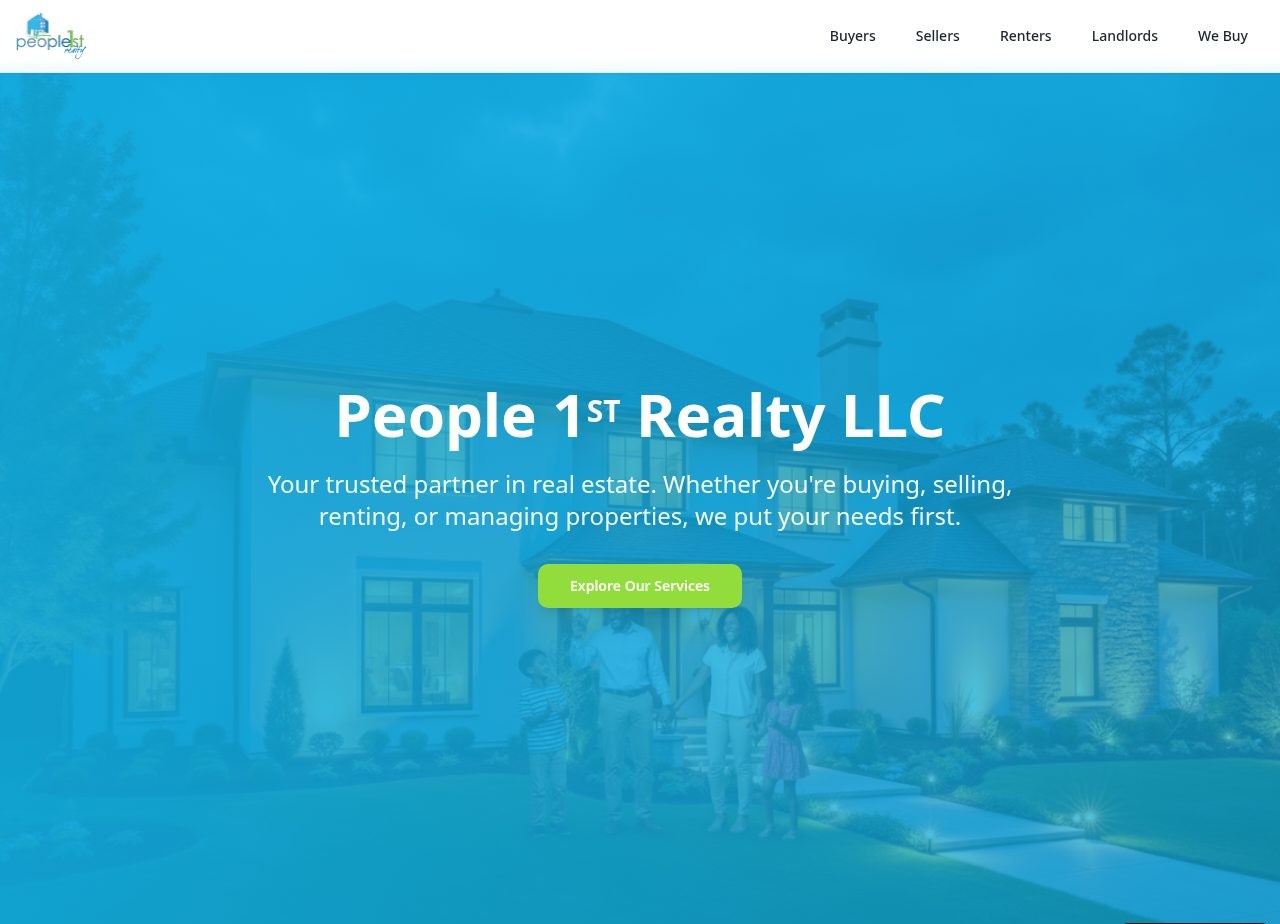
Whether your business serves homeowners, clients, patients, B2B nationwide, or a local community, the same principle applies. Make your value clear, provide useful proof, and give visitors a simple way to connect.
If you’re planning a new site or reviewing an existing one, you can contact First Look Web Co. with your business type, goals, and the pages you have in mind. We’ll help you understand what fits the standard scope and what may need a separate quote.