
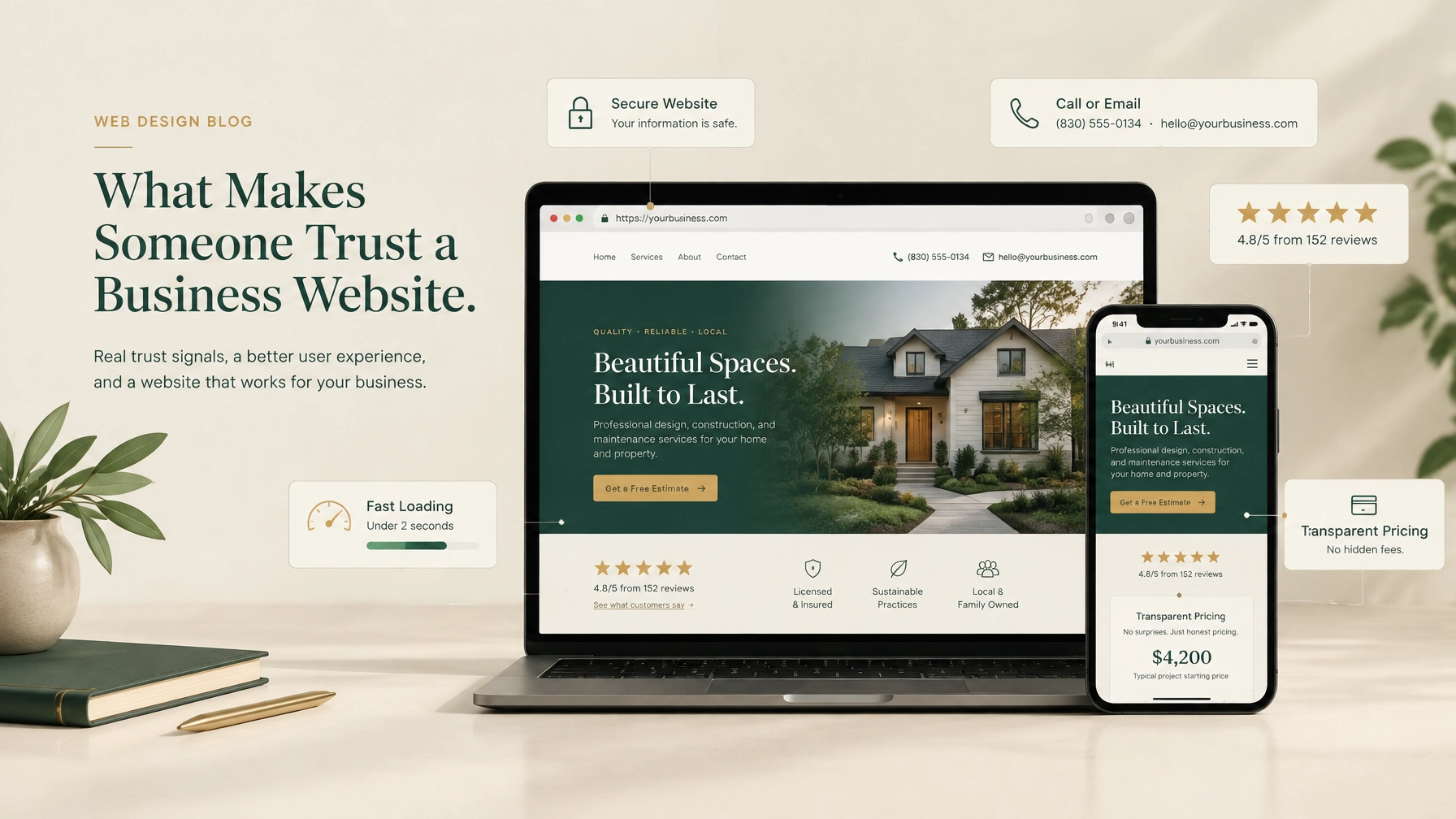
When someone visits your website for the first time, they’re making a quick judgment.
Can this business help me? Is it legitimate? Will someone respond? Is my information safe? Do the prices and process seem reasonable?
A website doesn’t need to be complicated to answer those questions. It does need to feel clear, current, reliable, and easy to use.
For a small business, trust is often the difference between a visitor making contact and leaving to search for another option. Here are the trust signals your website should provide.
Clear contact information
Visitors should never have to search for a way to reach you.
Your phone number, email address, service area, and business location should be easy to find. Include them in the website footer, and consider placing your phone number or primary contact button in the header as well.
A dedicated contact page should include:
- A direct phone number
- A monitored email address
- Your business location or service area
- Hours of operation
- A simple contact or inquiry form
- A map, when a physical location matters
This is especially important for local business web design. A visitor wants to know that your business operates in their area and that a real person is available to help.
It also helps to explain what happens after someone submits a form. For example: “We’ll reply within one business day” is more reassuring than a generic “Thanks for contacting us.”
A clear contact page can be simple. It just needs to answer the visitor’s next question.

Real reviews and customer proof
People trust businesses more easily when they can see that other customers have had a good experience.
Reviews help visitors understand what it’s like to work with you. They can also answer questions your service pages don’t cover, such as whether you’re responsive, punctual, thorough, or easy to work with.
Useful forms of customer proof include:
- Short customer testimonials
- Verified Google reviews
- Star ratings from a reputable platform
- Before-and-after examples
- Case studies
- Photos of completed work
- Links to your portfolio or past projects
Place reviews near the service or contact sections where visitors are deciding what to do next. A testimonial buried on a separate page may not help as much as one placed beside a booking or inquiry button.
Keep testimonials specific. “Great company” is positive, but “They explained every step and finished the project ahead of schedule” gives a future customer something more useful to consider.
Don’t invent or heavily edit reviews. Honest, specific feedback is more credible than polished statements that sound generic.
You can see how a strong portfolio supports credibility on First Look Web Co.’s portfolio page, which includes examples for consulting, skincare, real estate, and community organizations.
A professional, current design
Professional design is not about adding flashy effects. It’s about making the business look organized, capable, and ready to help.
Visitors often judge a website within seconds. If the site has outdated information, poor spacing, confusing navigation, or low-quality images, they may assume the business is difficult to deal with: even if the actual service is excellent.
Good website design for small business should include:
- Clear page structure
- Readable text
- Consistent colors and fonts
- High-quality, relevant images
- Strong contrast between text and background
- Simple navigation
- Well-placed contact buttons
- A layout that works on mobile devices
Your website should also match the type of business you operate. A family clinic, a construction company, a salon, and a nonprofit may all need professional design, but they shouldn’t all look identical.
The design should help visitors understand your personality and services while keeping the information easy to use. A warm visual style may suit a salon or wellness provider. A structured, straightforward layout may be better for a contractor or professional consultant.
Good small business web design creates confidence without distracting from the information people came to find.
Fast loading and easy navigation
A slow website feels unreliable.
Visitors may leave before the page finishes loading, especially when they’re using a phone or a slower connection. A delayed page can also make a business appear less prepared, even when the problem is only technical.
Your website should:
- Load quickly on mobile and desktop
- Use properly sized images
- Avoid unnecessary animations
- Keep menus simple
- Make important pages easy to reach
- Avoid broken links and error messages
- Make forms work correctly
Fast performance is part of the customer experience. Someone looking for a roofer, dentist, restaurant, realtor, or local service provider may be comparing several businesses at once. If your website is difficult to use, they can move on quickly.
A professional website for small business should make the next step obvious. Visitors shouldn’t need to dig through several menus to find your services, hours, location, or contact details.
Visible security
Security is one of the quieter trust signals on a website. Visitors may not mention it, but they notice when a browser shows a warning or when a form looks unsafe.
Your website should use HTTPS with a valid SSL certificate. This helps protect information sent through the site and prevents browsers from displaying avoidable security warnings.
Security also involves being clear about how you handle visitor information. If you collect names, email addresses, phone numbers, appointment details, or payment information, explain the purpose in plain language.
Helpful security and privacy practices include:
- Using HTTPS across the entire website
- Keeping website software and forms maintained
- Providing a privacy policy
- Limiting the information collected on contact forms
- Using trusted payment providers when taking payments
- Avoiding unnecessary requests for sensitive information
A padlock icon alone won’t make someone trust a business. It works alongside clear contact information, professional design, and a transparent process.
Transparent pricing
Unclear pricing creates hesitation.
Not every business can publish a fixed price for every service. Contractors, consultants, clinics, and custom service providers may need to assess the project first. But you can still explain how pricing works.
Consider including:
- Starting prices or typical ranges
- What is included in a standard service
- What may cost extra
- Whether a consultation is free or paid
- When customers receive a quote
- What payment stages to expect
- Any cancellation or refund terms
Transparency doesn’t mean every detail must fit on one page. It means visitors shouldn’t feel that important information is being hidden from them.
For example, First Look Web Co.’s pricing page explains the one-time website options, what is included, the deposit, the remaining balance, hosting after the first year, and optional extras. That gives a prospective customer enough information to decide whether the service fits before starting a conversation.
Clear pricing helps people feel in control. That matters even when the final price depends on the project.

A clear explanation of what you do
Trust grows when visitors quickly understand your offer.
Avoid making people guess what your business provides. Your homepage should explain:
- What you do
- Who you help
- Where you work
- Why someone may choose you
- What the visitor should do next
Use plain language. A contractor might say, “Residential roofing repairs and replacements in Kerrville and surrounding areas.” A consultant might say, “Business lending guidance for small companies that need practical financing options.”
Specific language is more reassuring than broad claims. “High-quality solutions for all your needs” doesn’t tell a visitor much. A clear description helps them decide whether they’re in the right place.
Your service pages should continue that clarity by explaining what each service includes, who it’s for, and how to get started.
Real people and a real business identity
Small businesses have an advantage that large companies often struggle to create: personal connection.
Show the people behind the business when appropriate. Include a short About page, team names, professional photos, a local service area, or a brief explanation of how the business began.
Visitors don’t need a long personal history. They do want to know there’s a real person or team behind the website.
A business identity can include:
- The owner’s name
- Team photos
- Years in business
- Qualifications or certifications
- A local address or service area
- Professional memberships
- A short explanation of your approach
Use real photos when possible. Relevant photos of your team, location, work, or customers usually feel more credible than generic stock images.
A predictable next step
A trustworthy website doesn’t pressure visitors. It guides them.
Every important page should give people a clear next step, such as:
- Request a quote
- Call the business
- Book an appointment
- View available services
- Visit the location
- Ask a question
- Download helpful information
The wording should tell visitors what will happen. “Request a quote” is clearer when followed by “Tell us about your project, and we’ll reply with pricing and availability.”
At First Look Web Co., the standard website process includes discovery, gathering materials, design and development, review, revisions, and launch. That type of structure removes uncertainty because customers know what to expect before work begins.
A simple trust checklist
Before publishing or redesigning your website, check that it includes:
- Your phone number, email, location, and service area
- A clear description of your services
- Genuine reviews or examples of past work
- A professional mobile-friendly design
- Fast-loading pages and working forms
- HTTPS and basic privacy information
- Clear pricing or an explanation of how quotes work
- Real business and team information
- A clear next step on every important page
You don’t need to add every possible badge, award, animation, or marketing claim. A small number of honest, useful signals will do more for trust than a crowded page.
Trust is built through clarity
A trustworthy website helps visitors feel informed.
They can see who you are. They understand what you offer. They know how to contact you, what the process looks like, and what may happen next.
That’s the goal of effective website design for small business: not to make the business look larger than it is, but to present it clearly and professionally.
If your current website feels outdated, difficult to navigate, or unclear about pricing and services, a focused redesign may be enough to improve the experience. Contact First Look Web Co. to share what you need. We’ll respond with a clear scope, a flat price, and a typical turnaround before you decide whether to proceed.